
About Monday
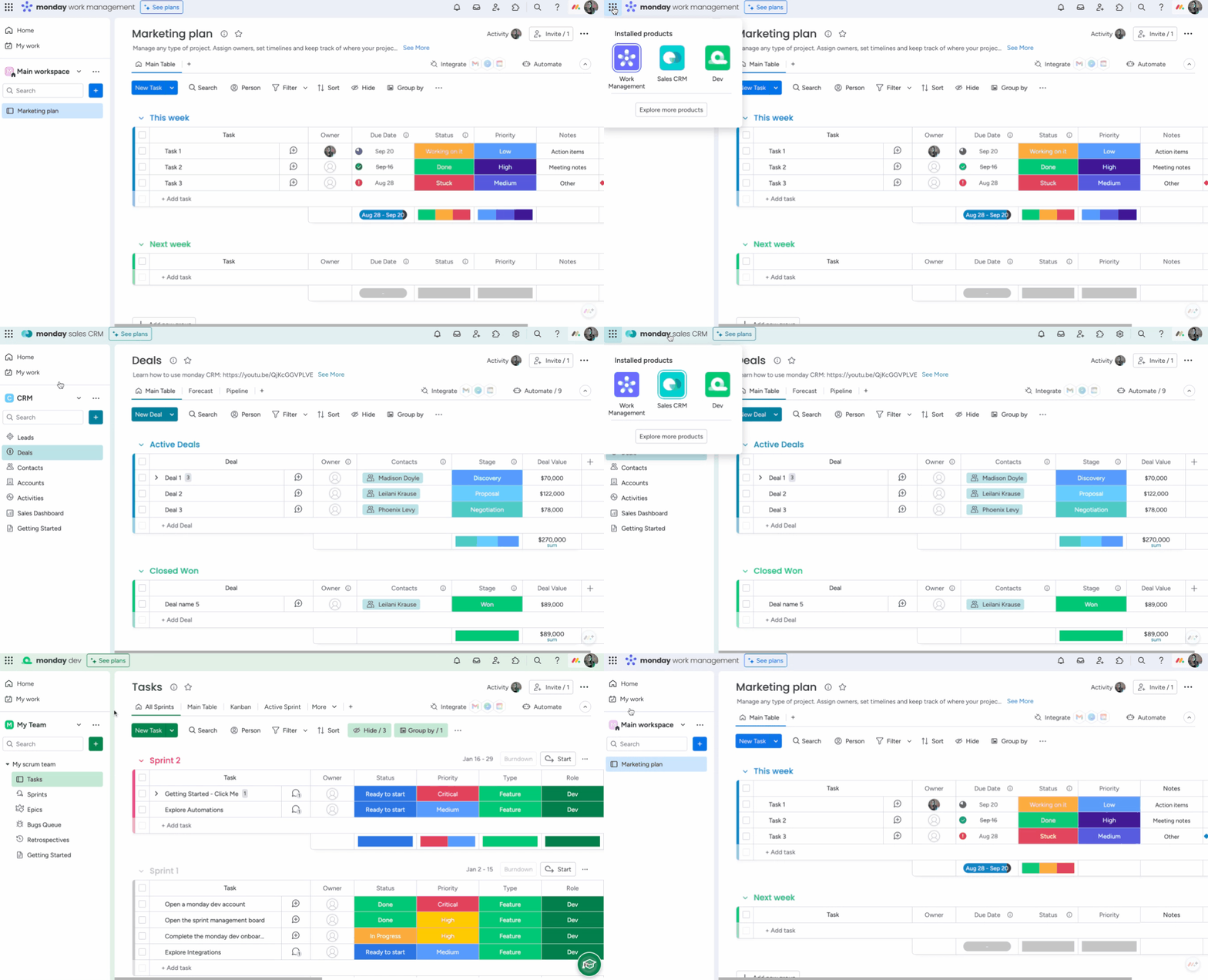
We’re very excited and proud to introduce you to the brand new monday products: complete end-to-end products built on top of monday.com Work OS that address the entire needs of a specific use case.
Monday is a platform that empowers teams to build, customize, and optimize their workflows while keeping team collaboration at the core of everything, offering pre-packaged, ready-to-use solutions for our most popular use cases so that you can get your work started right away.
Currently we offer two product types for you to choose from! They are:
monday Work Management – A completely customizeable workflow management product that allows you to manage any type of task, project, and process to fuel team collaboration and productivity at scale.
monday dev – A product built for software development teams to collaborate together on product roadmaps, sprints, release plans, customer feedback, backlogs, and much more, while staying connected to other departments at all times.
Get started with Monday DEV
From product strategy to launch, you can manage it all with monday dev.
Monday dev connects devs, product design, and business teams together to bring your products to life faster. From planning through release and launch, monday dev helps you transform ideas into great products. Come see the connected new world of development!

Sprint management
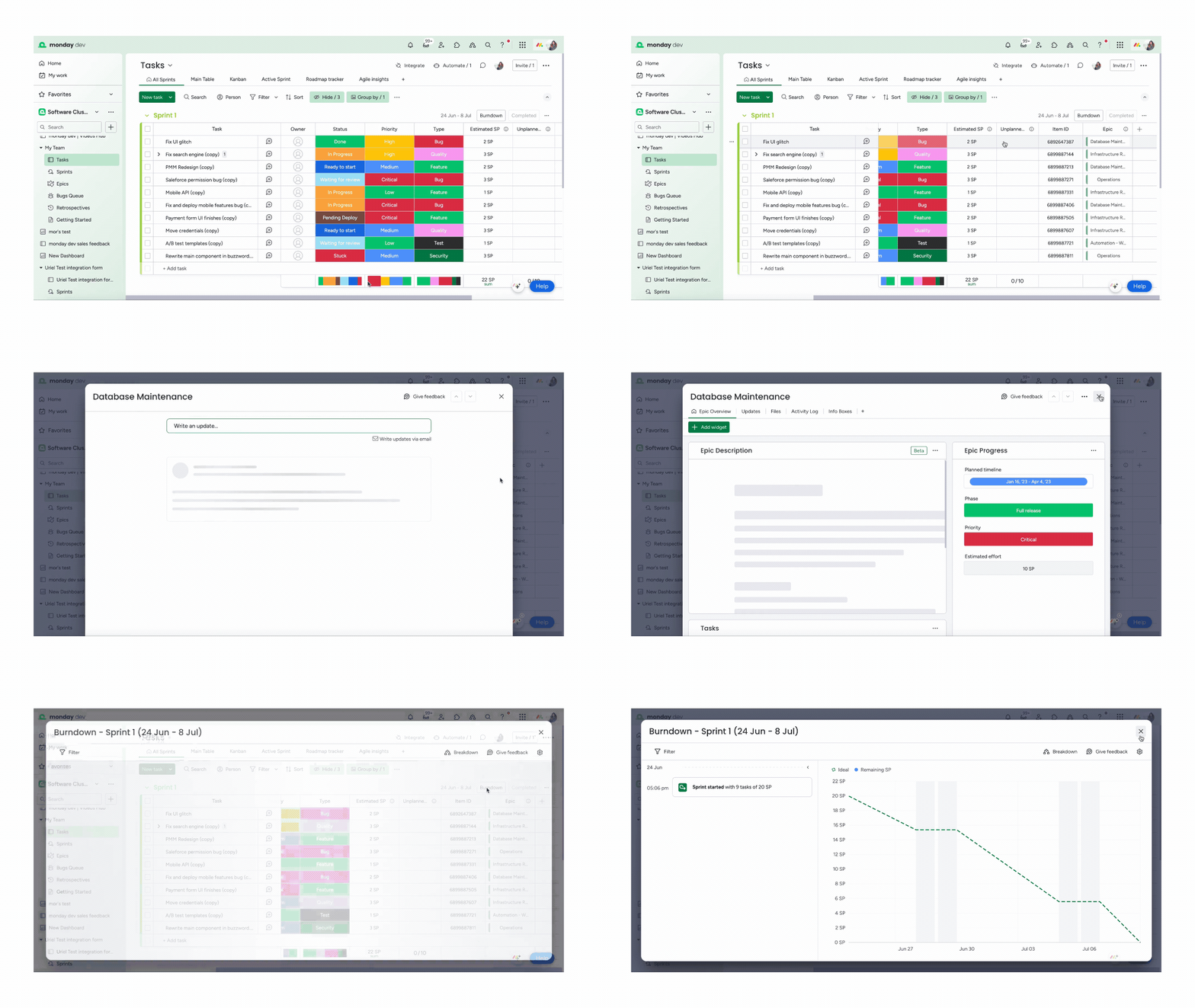
Break down your larger projects into smaller, manageable tasks by managing your sprint on the Tasks board. All of the tasks from the roadmap live on the this board so that you can easily manage your sprints. Here you can create a new sprint, add all relevant tasks, and assign ownership along the way.
Use story points to optimize the velocity of your dev team and measure the overload of tasks. Story points feed into burndown charts, allowing you to monitor the sprint’s progression with ease.
Agile insights
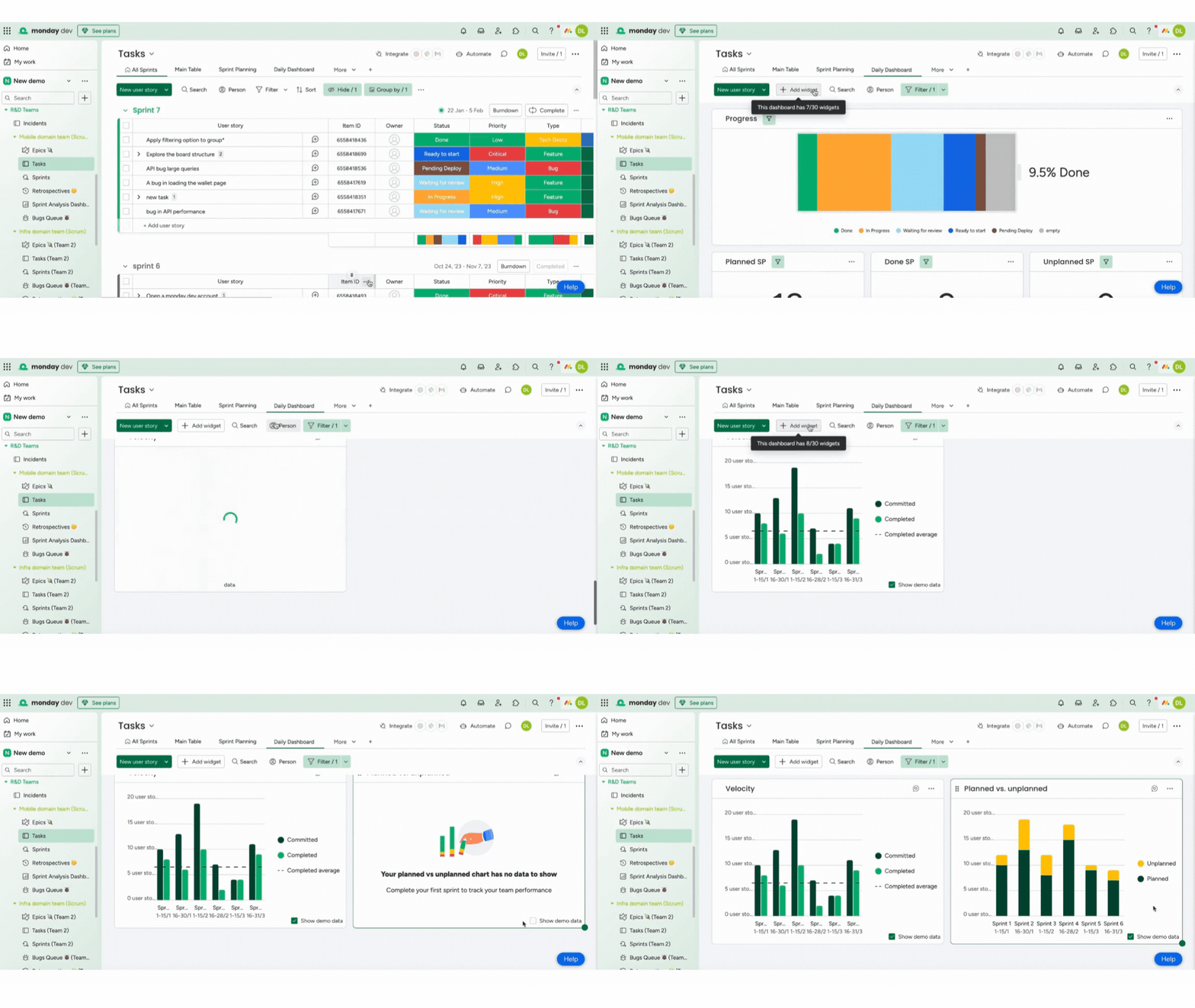
Agile Insights is a board view with built in charts available in the Widget Center of the dev Tasks boards that provide critical visibility into action sprint performance. The charts include:
- Velocity chart – with this chart you can track your completed work per sprint over time to identify trends and forecast future performance.
- Planned vs. unplanned chart – with this chart you can analyze the distribution of work between planned and unplanned tasks to assess planning accuracy and identify areas for improvement
Sprint automation
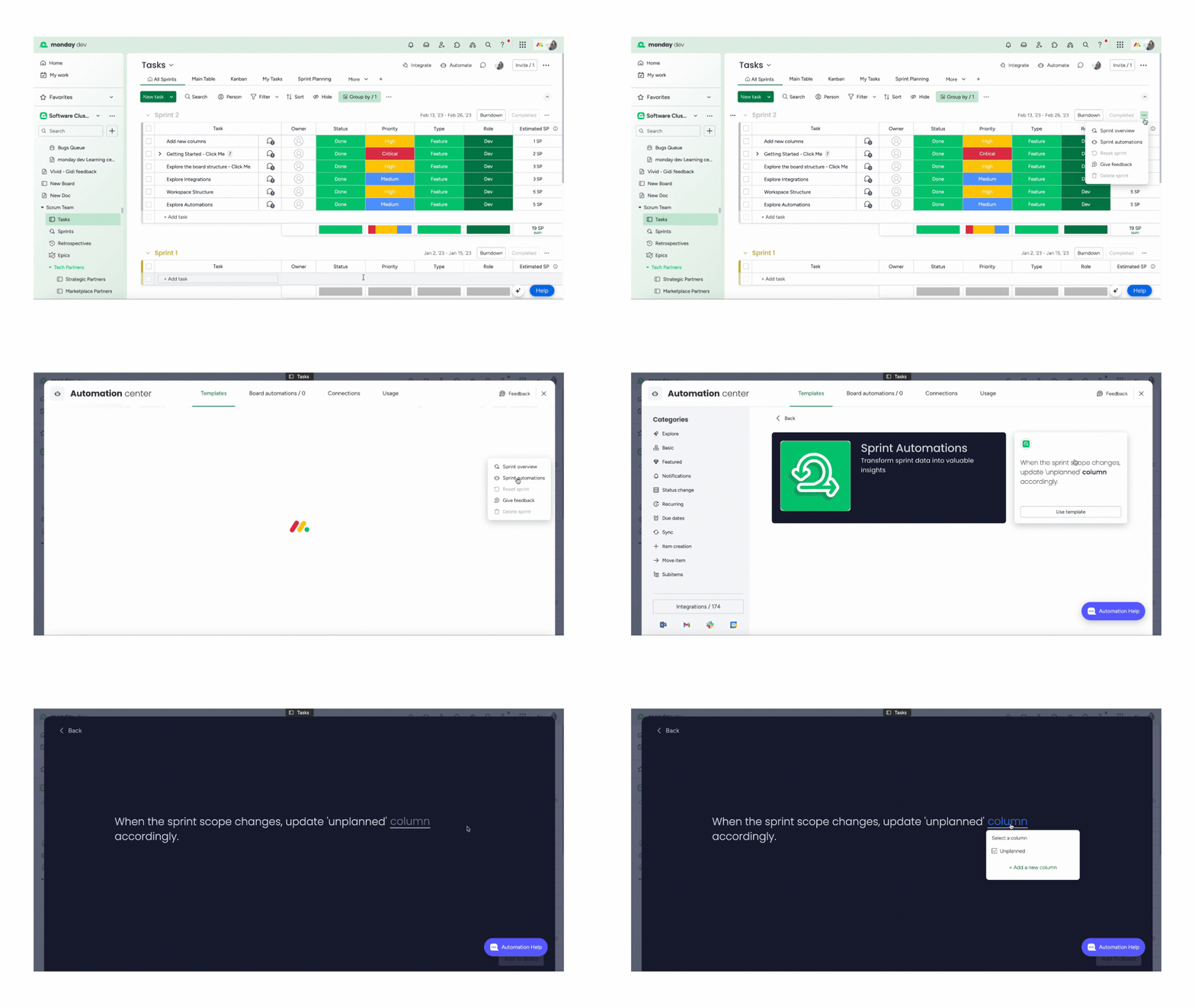
As you incorporate automations into your workflow, you can also implement specific automations created for your sprint management. With Sprint automations, you’ll be able to transform sprint data into valuable insights.
You can find the first sprint automation template by clicking on the three dot menu at the top right of the board as below.
Click on sprint automations, which will take you to the Automation center. Here you will see the available template and be able to implement it in your workflow.
Roadmap planning
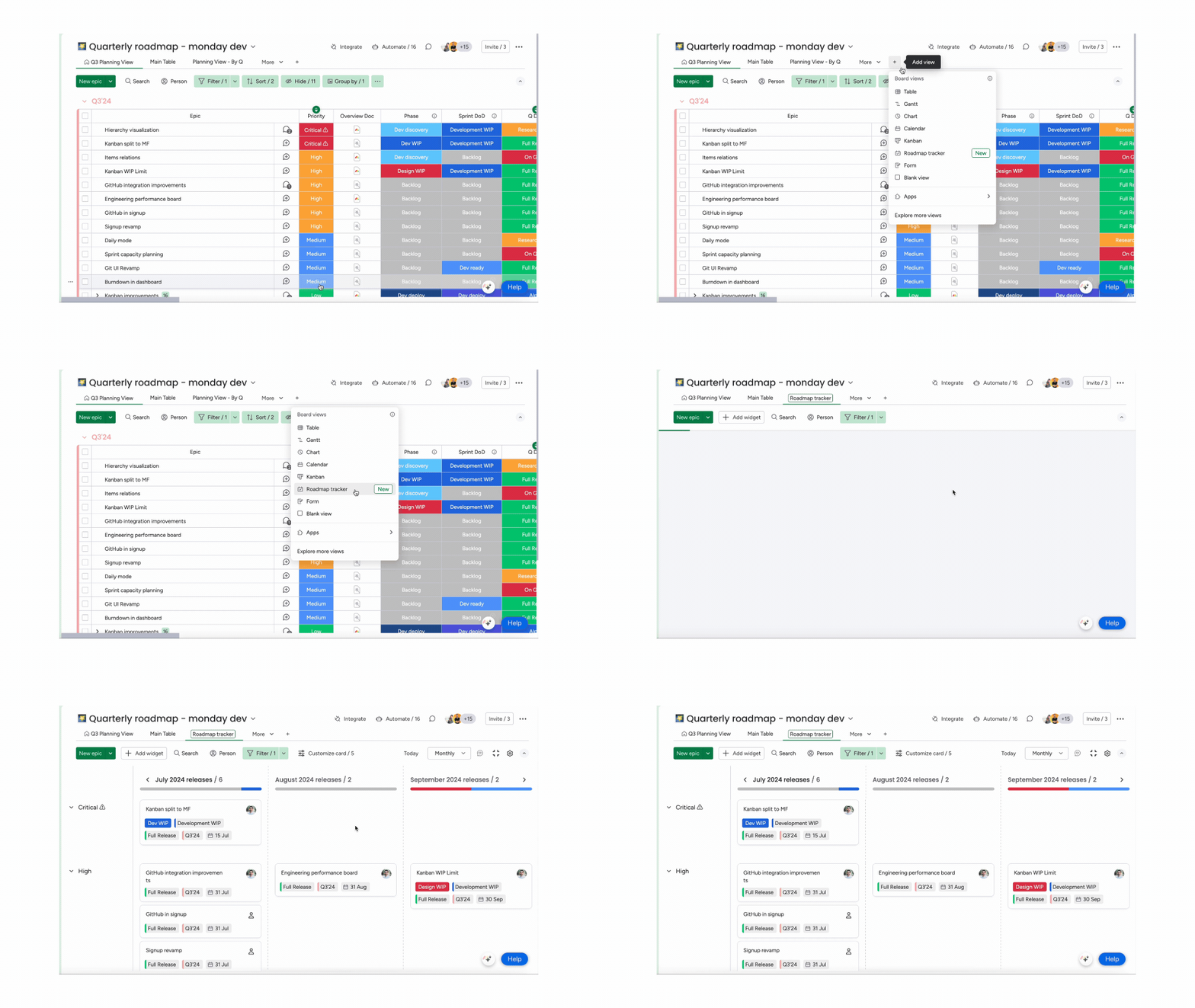
With the Roadmap tracker, you can organize planned epics or features by quarter. This board can be viewed by all business stakeholders so you can ensure that there is full alignment across teams. When you click on an individual item card, you will see the full epic description, which allows designers and product to add key feature details.
Bug tracking
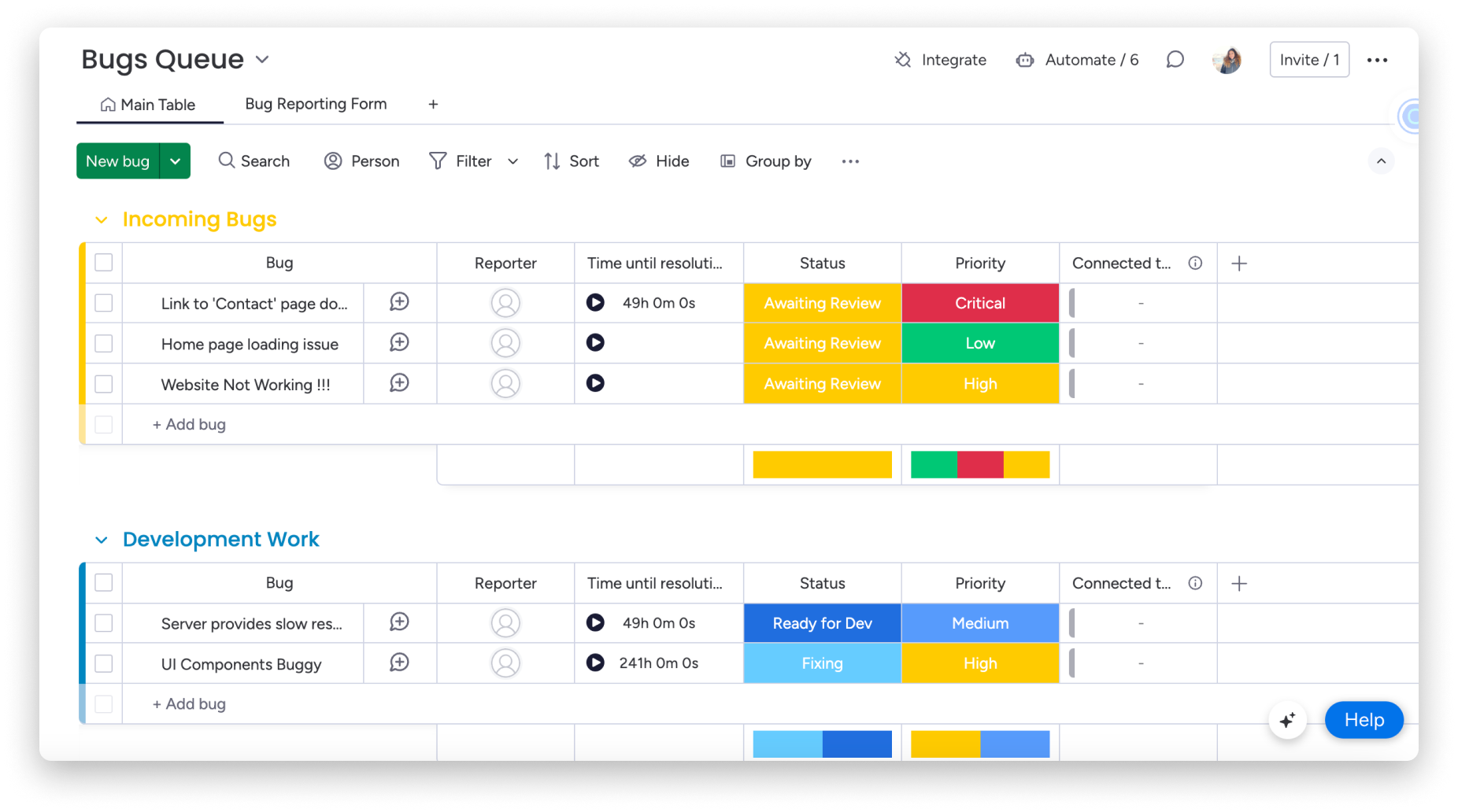
The Bugs Queue is an efficient way to list and prioritize any bugs that appear in your software. You can prioritize new bugs, track those currently in progress, and keep track of resolved bugs where a fix has been successfully deployed.
Kanban cards
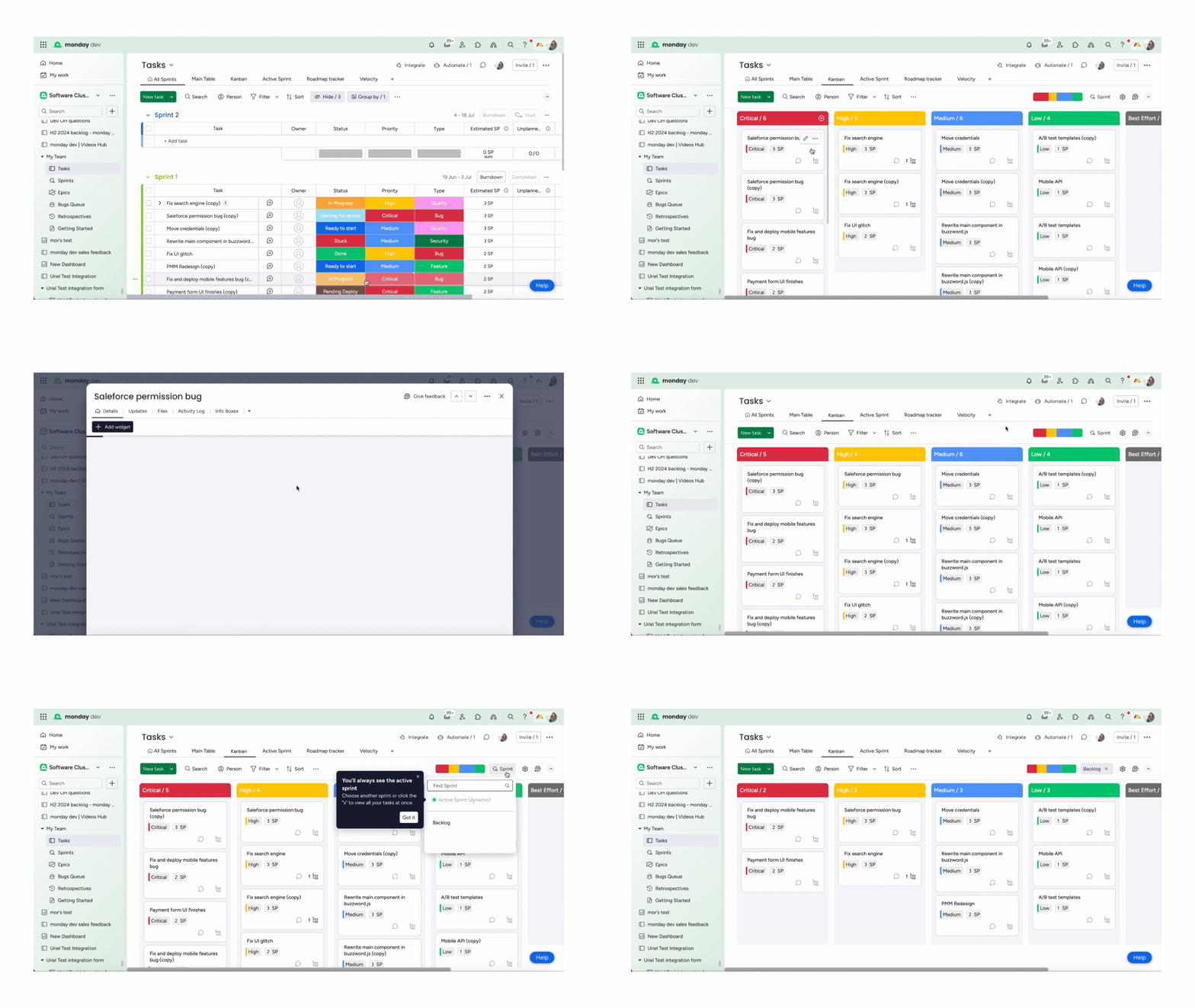
Prioritization is a key factor involved in sprint planning, and with the Kanban View you can see tasks in the active sprint categorized by status. Kanban cards make it easy to see an overview of all work at every stage.
We also have many more useful integrations to help you in your dev journey