About Monday
We’re very excited and proud to introduce you to the brand new monday products: complete end-to-end products built on top of monday.com Work OS that address the entire needs of a specific use case.
Monday is a platform that empowers teams to build, customize, and optimize their workflows while keeping team collaboration at the core of everything, offering pre-packaged, ready-to-use solutions for our most popular use cases so that you can get your work started right away.
Currently we offer two product types for you to choose from! They are:
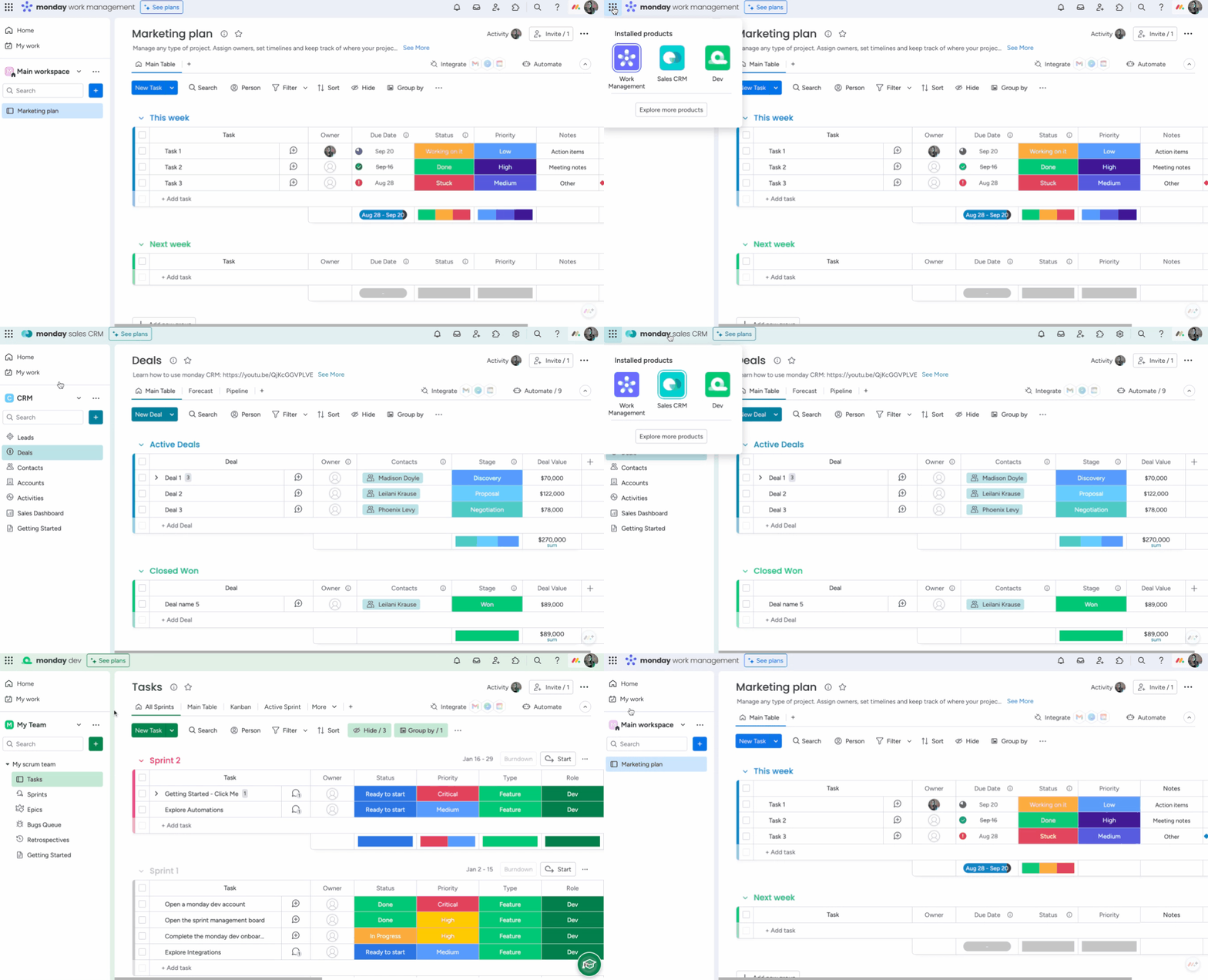
monday Work Management – A completely customizeable workflow management product that allows you to manage any type of task, project, and process to fuel team collaboration and productivity at scale.
monday dev – A product built for software development teams to collaborate together on product roadmaps, sprints, release plans, customer feedback, backlogs, and much more, while staying connected to other departments at all times.
Get started with Monday Work Management
Just imagine arriving at work and your email inbox is empty, everyone on the team knows what they’re working on, they’re aligned on the big picture, and you can easily see the progress of all tasks and what’s left to get done.
All of this (and more) is possible with monday.com Work Management.
Everything starts with a board
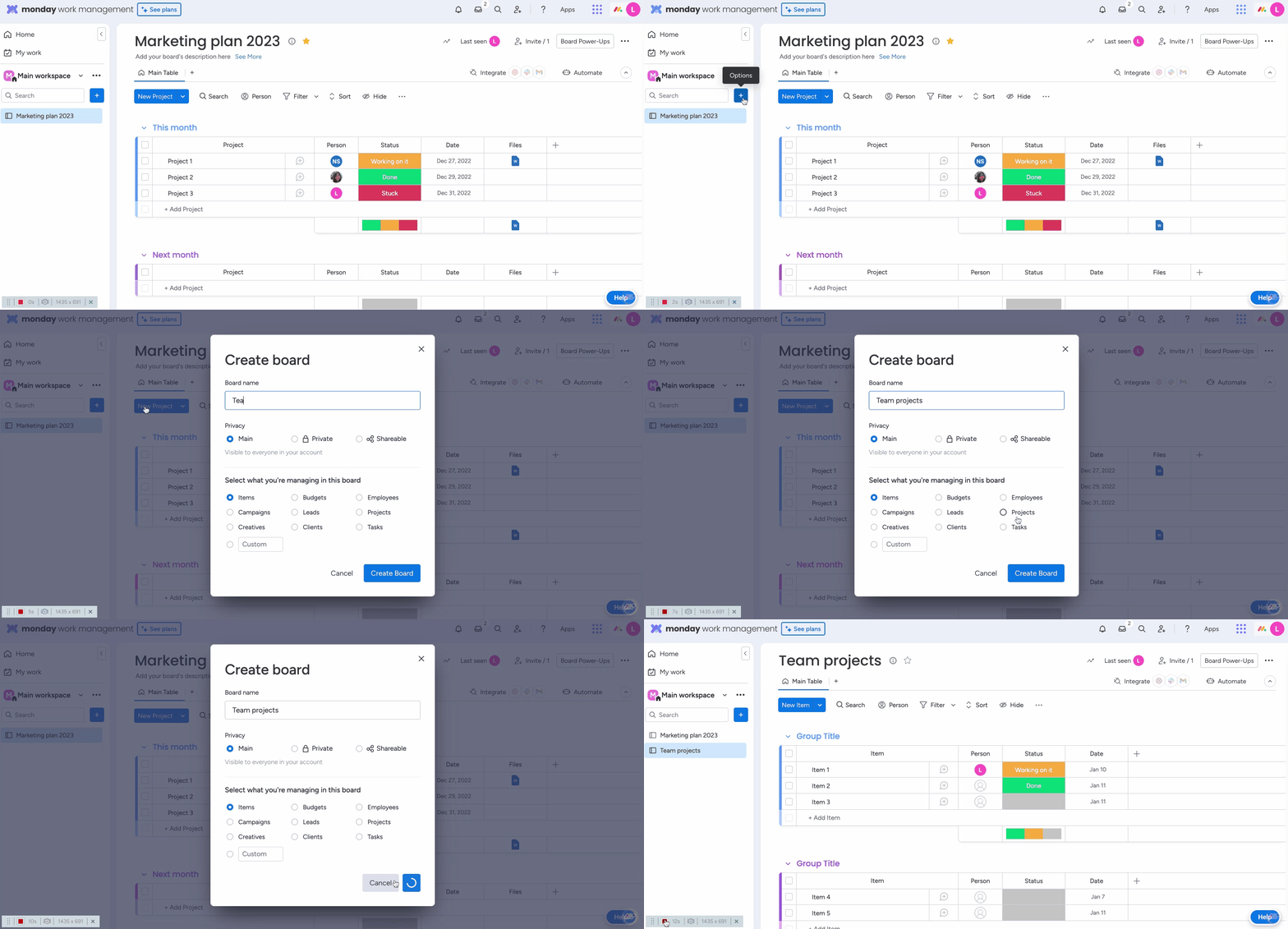
With monday.com work management, we know that every great workflow begins with a board. Here’s how it works. Boards are made up of items, subitems, groups, and columns. Items can be clients, deals, meetings, purchases, and more. Each item on the board will track one instance.
- Start from scratch – name your board, select the board’s privacy level, and then choose what you’d like to call your items. Add columns to organize important details, like email addresses, locations, and the status of an item. Sort items into groups for more structure. You can customize all boards to your needs.
- Or use a template – If you don’t want to start from scratch, you can browse through the templates in our Template Center. We offer templates for any need, from content production and design to student life and manufacturing.
Start collaborating
The best part of a board isn’t that it seamlessly organizes your work. It’s how you can manage that work with all of the tools that monday.com has placed right at your fingertips. These are the basic elements of managing any board:
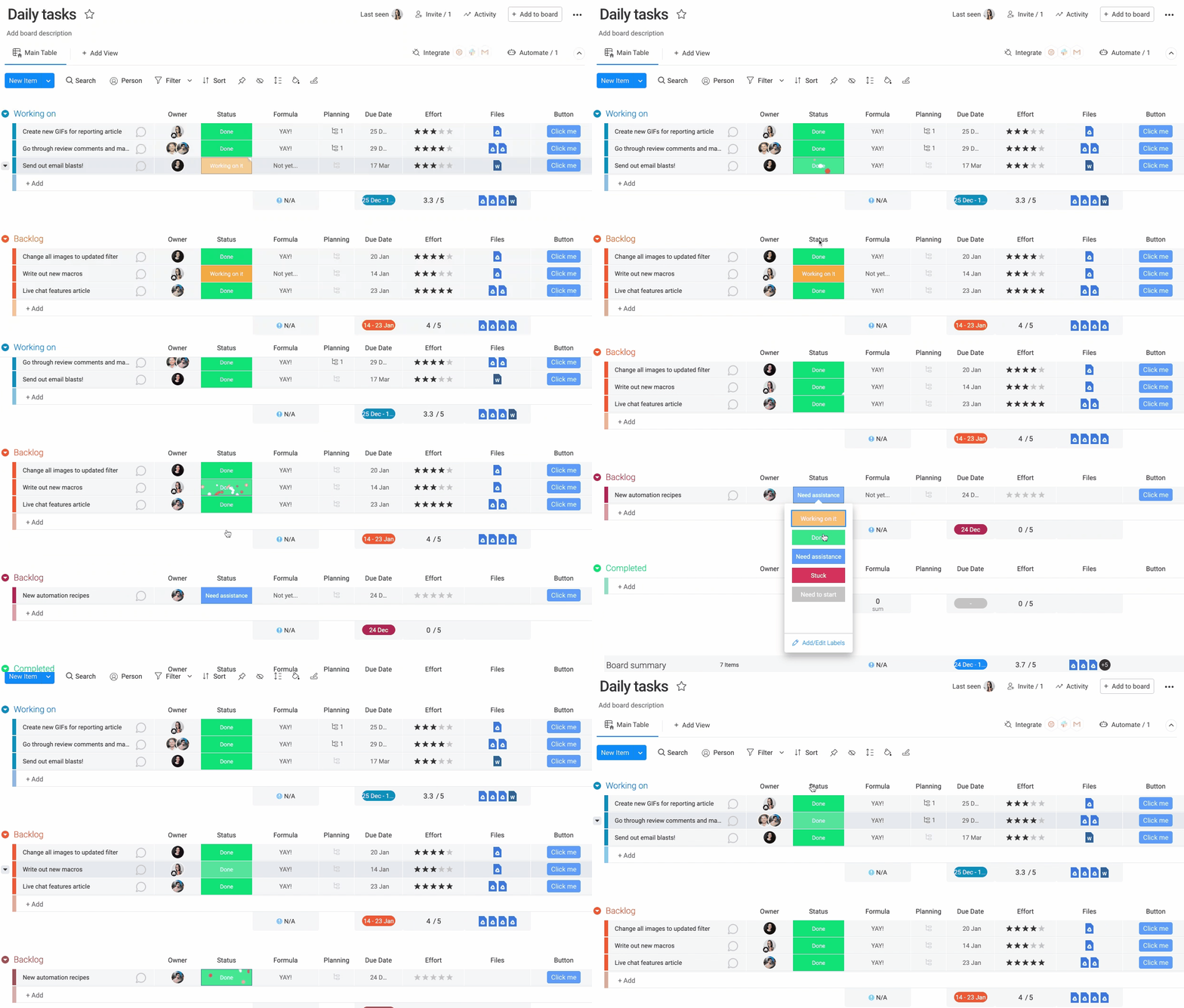
- Assign items – With permission, all team members can see every aspect of a project and jump in to collaborate — but first, assigning ownership is key. Use the People Column to assign items. The person assigned will receive a notification about the assignment.
- Communicate – Use the updates section to keep everyone informed about how the item is progressing; ask questions, write updates, and attach images or files. To make it fun, add GIFs, emojis, and @mention teammates.
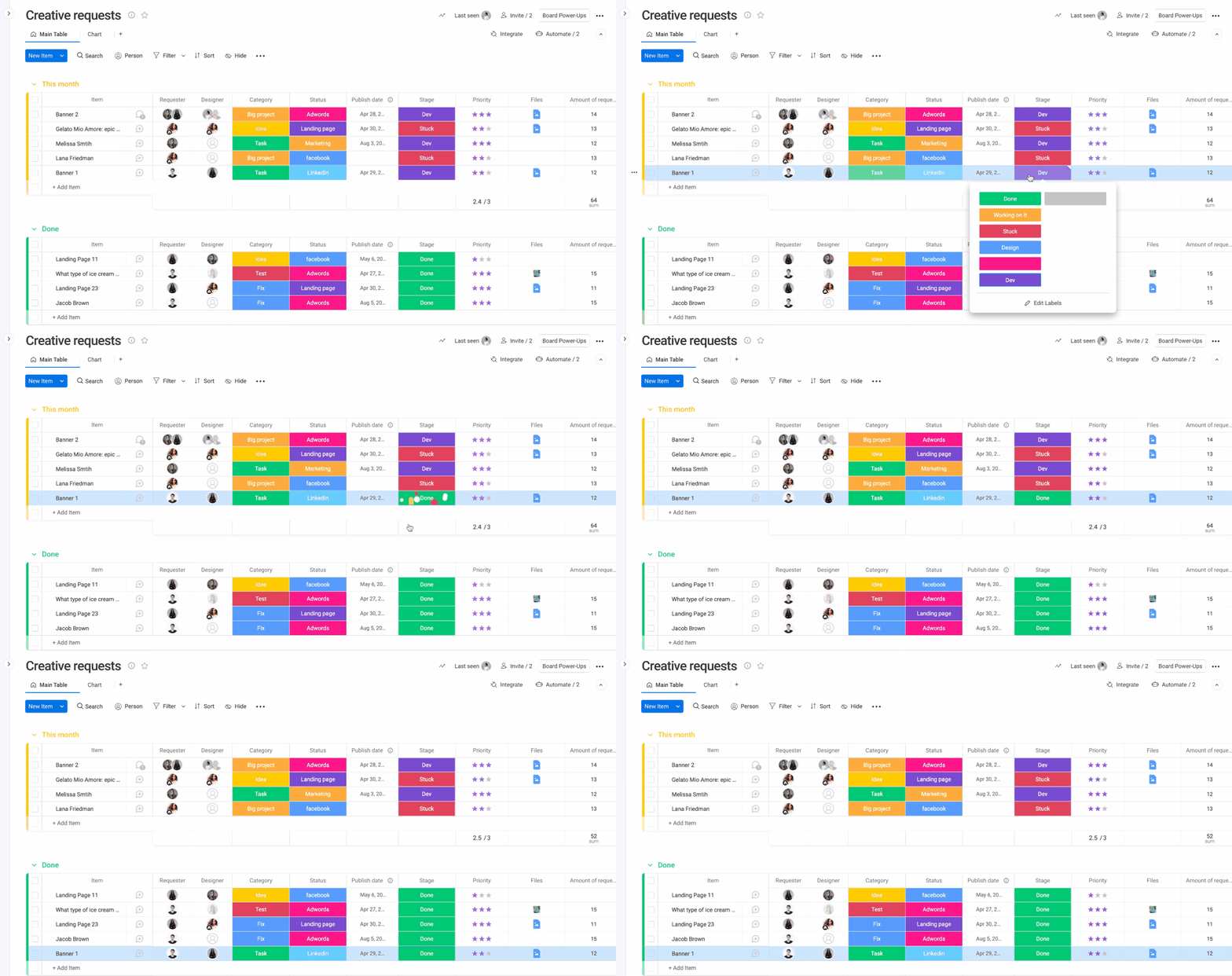
- Track your progress – Use the status column to record your progress. Nothing beats seeing your whole column turn the same color when everything is done! Green is our personal favorite.
Enhance your board with views
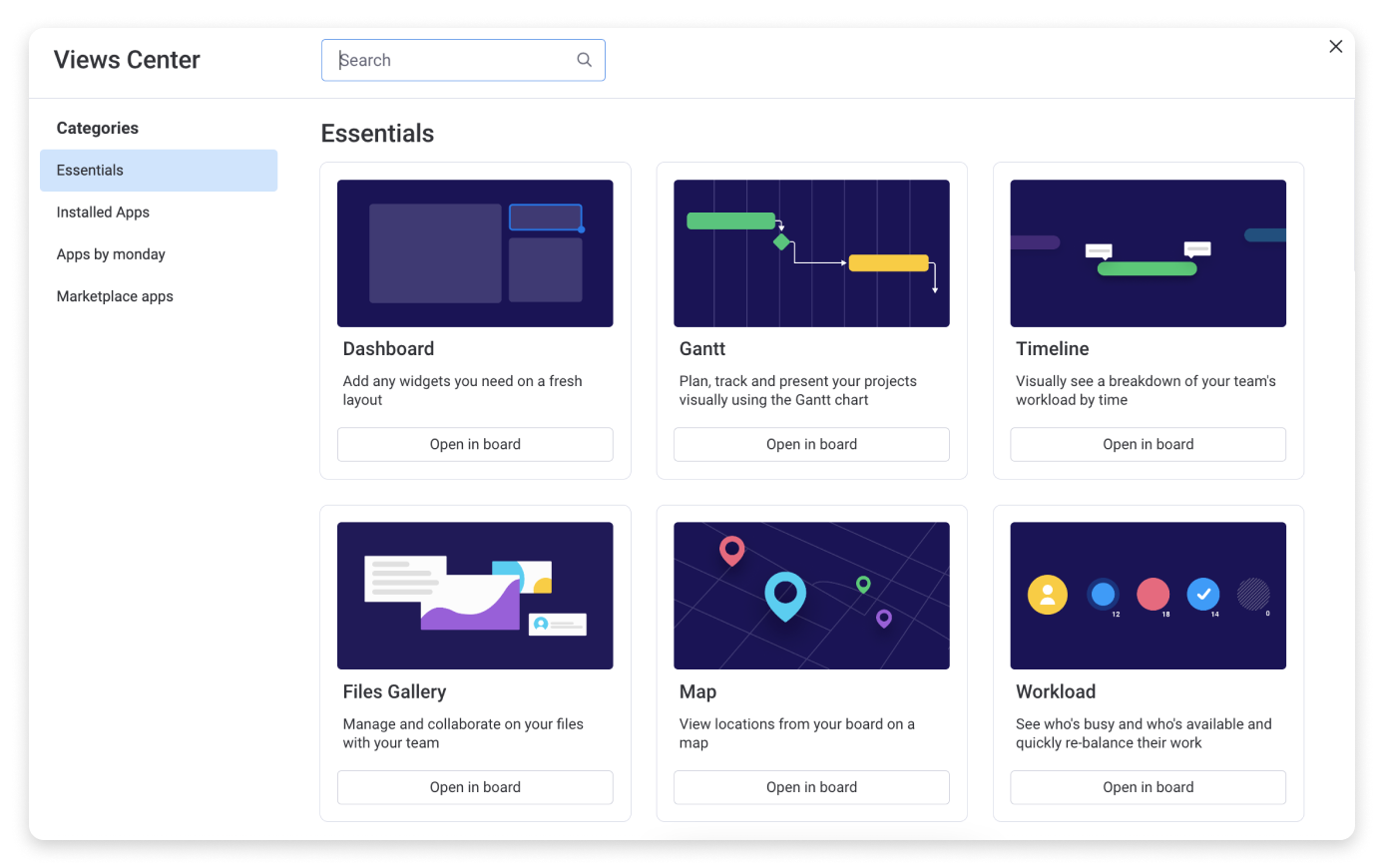
Boards go beyond this baseline structure. You can add views to enhance the performance of your board or to gain valuable insights. Use The Form View to automatically collect survey responses on your board, The Files View to review a gallery of your files and annotate those that are still in progress, or The Chart View to visualize your board’s data. There are many more to choose from. Take a look at The board views article for a rundown of every view available.
Say goodbye to manual work
And to increase productivity, try adding integrations and automations to your workflow. These tools are the perfect way to eliminate manual work. With automations, the possibilities are limitless. And some of our most popular integrations are our most versatile— like the Gmail and Outlook integrations.
Look at the big picture
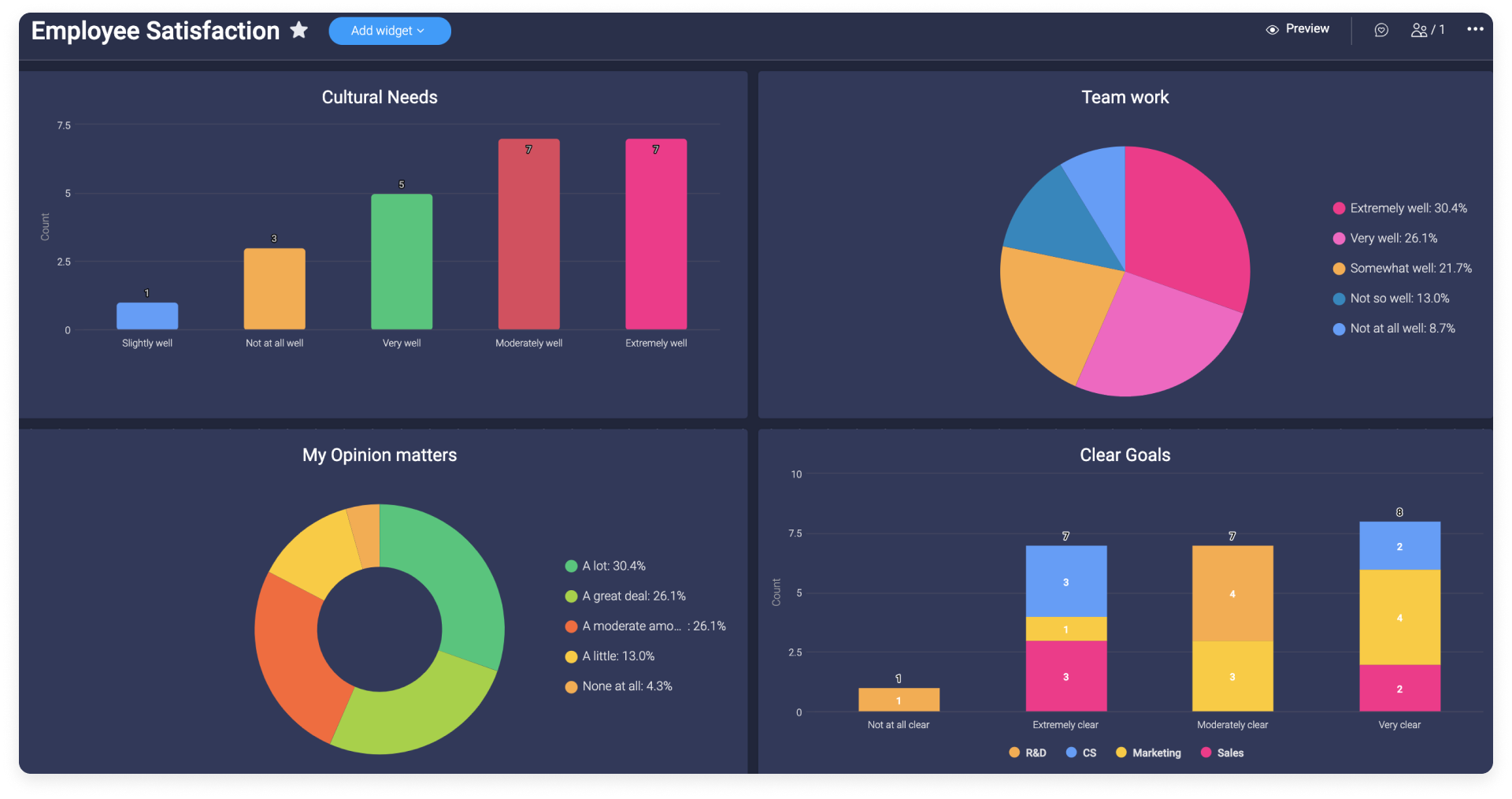
Once you have your workflow built out across multiple boards, you can use dashboards to see all of your data at a high level. Dashboards are capable of integrating data from multiple boards into one view. This is a great way to make comparisons and measure team performance.